本页出处
设计风格资料库
内容来自 luckymaomi 的 UI 风格库(复刻版),以 MIT 许可 提供。本站镜像收录,仅作学习参考;这一页的原始地址是 原站页面。
← 回到导览访问原站仓库
返回风格库
视觉风格expressive

柔和野兽派

Neo-Brutalist Soft

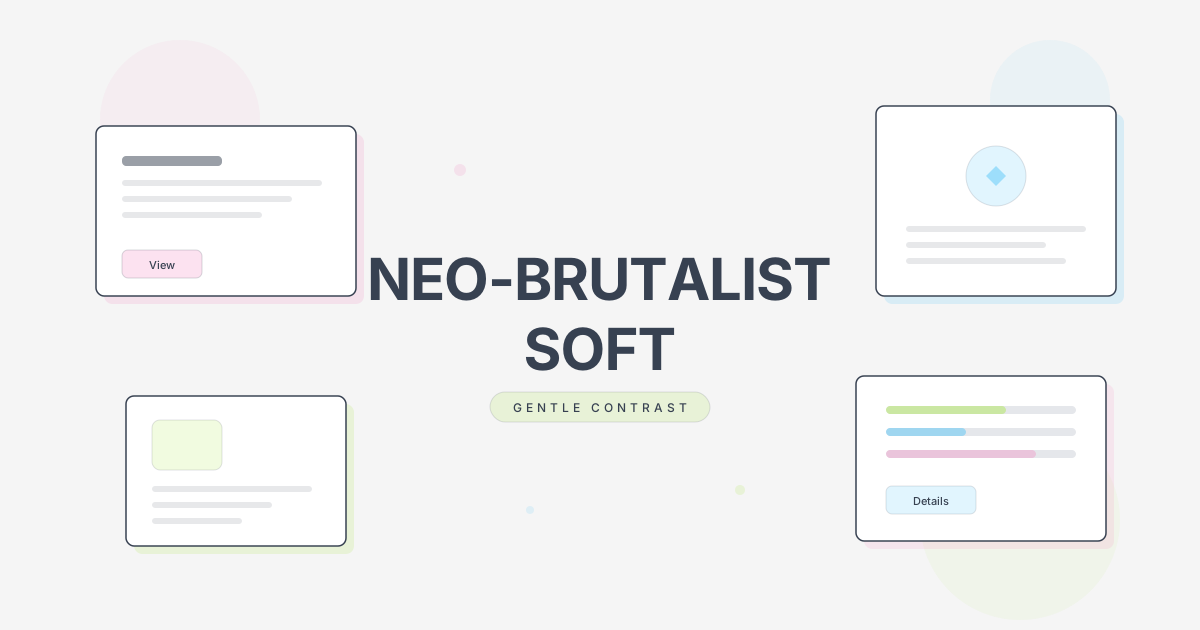
Neo-Brutalist 的温和版本。保留硬边缘阴影和无圆角特性,但使用更柔和的配色、较细的边框和更温和的对比度。

柔和野兽派视觉预览
主色#1a1a1a
次色#f5f5f5
强调色 1#f472b6
强调色 2#a3e635
强调色 3#38bdf8
强调色 4#fbbf24

AI 实现规则

你是一个 Neo-Brutalist Soft(柔和野兽派)设计风格的前端开发专家。这是 Neo-Brutalist 的温和版本。

## 核心保留

- 无圆角 rounded-none
- 硬边缘阴影(但用灰色/半透明)
- hover 位移效果

## 调整规则

边框:
- 使用 border-2(非 border-4)
- 使用 border-gray-800(非 border-black)

阴影:
- 使用 shadow-[4px_4px_0px_0px_rgba(0,0,0,0.2)]
- 彩色阴影用半透明:rgba(244,114,182,0.4)

配色:
- 背景:#f5f5f5(浅灰)
- 文字:#1a1a1a(深灰非纯黑)
- 粉色:#f472b6(pink-400)
- 绿色:#a3e635(lime-400)
- 蓝色:#38bdf8(sky-400)
- 黄色:#fbbf24(amber-400)

## Animation & Interaction Rules

- Paper Lift: 悬停时使用小幅 -translate 与半透明彩色阴影扩散,模拟厚纸卡片被轻轻抬起。
- Gentle Snap: 点击时仍保留“阴影归零 + 位移”的野兽派血统,但过渡必须 duration-200 ease-out,避免暴力顿挫。
- Pastel Shifts: 交互色彩在灰、粉、浅绿之间平滑切换,不使用高饱和纯色闪烁。
- Soft Outlines: 输入框/交互焦点优先使用半透明彩色硬边阴影,而不是更粗的深色边框突变。

## 禁止

- 纯黑边框 border-black
- 纯黑阴影 rgba(0,0,0,1)
- 高饱和纯色
- 圆角
- 模糊阴影

## Layout & Spacing
- Section padding: py-16 md:py-24
- Card padding: p-6 md:p-8
- Gap between cards: gap-6 md:gap-8
- Max content width: max-w-6xl mx-auto

## Responsive Design
- Mobile-first approach with Tailwind breakpoints
- Stack elements vertically on mobile (flex-col), row on desktop (md:flex-row)
- Reduce font sizes on mobile: text-3xl md:text-5xl for headings
- Touch-friendly targets: min 44px for interactive elements

## Self-Check Verification
After generating code, verify:
1. All interactive elements have hover/focus/active states
2. Color contrast meets WCAG 2.1 AA (4.5:1 for text)
3. Layout is responsive across breakpoints
4. Typography hierarchy is clear (h1 > h2 > h3 > body)
5. Spacing is consistent using the defined scale
6. All animations respect prefers-reduced-motion

组件预览与实现

font-bold border-2 border-gray-800 rounded-none transition-all duration-200 bg-pink-400 text-white shadow-[4px_4px_0px_0px_rgba(0,0,0,0.2)] md:shadow-[6px_6px_0px_0px_rgba(0,0,0,0.2)] hover:shadow-none hover:translate-x-[2px] hover:translate-y-[2px] active:translate-x-[4px] active:translate-y-[4px]
button

按钮

柔和版 Brutal 按钮

<button className="
  bg-pink-400 text-white font-bold
  px-4 py-2 md:px-6 md:py-3
  border-2 border-gray-800
  shadow-[4px_4px_0px_0px_rgba(0,0,0,0.15)]
  md:shadow-[6px_6px_0px_0px_rgba(0,0,0,0.15)]
  hover:bg-pink-300
  hover:shadow-[6px_6px_0px_0px_rgba(244,114,182,0.35),10px_10px_14px_rgba(244,114,182,0.2)]
  hover:-translate-y-0.5 hover:-translate-x-0.5
  active:translate-x-[4px] active:translate-y-[4px]
  active:shadow-none
  transition-all duration-200 ease-out
  text-sm md:text-base
">
  柔和按钮
</button>

{/* 次要按钮 */}
<button className="
  bg-gray-50 text-gray-800 font-bold
  px-4 py-2 md:px-6 md:py-3
  border-2 border-gray-800
  shadow-[4px_4px_0px_0px_rgba(0,0,0,0.15)]
  hover:bg-lime-200
  hover:shadow-[6px_6px_0px_0px_rgba(163,230,53,0.3),10px_10px_14px_rgba(163,230,53,0.2)]
  hover:-translate-y-0.5 hover:-translate-x-0.5
  active:translate-x-[4px] active:translate-y-[4px] active:shadow-none
  transition-all duration-200 ease-out
">
  次要按钮
</button>
card

卡片

柔和阴影的卡片

<div className="
  group
  bg-white
  border-2 border-gray-800
  shadow-[4px_4px_0px_0px_rgba(0,0,0,0.12)]
  md:shadow-[6px_6px_0px_0px_rgba(0,0,0,0.12)]
  hover:bg-lime-50/70
  hover:shadow-[6px_6px_0px_0px_rgba(163,230,53,0.32),10px_12px_18px_rgba(163,230,53,0.2)]
  md:hover:shadow-[8px_8px_0px_0px_rgba(163,230,53,0.32),12px_14px_20px_rgba(163,230,53,0.2)]
  hover:-translate-y-1
  transition-all duration-300 ease-out
  p-4 md:p-6
">
  <h3 className="font-bold text-lg md:text-xl text-gray-800 mb-2 transition-colors duration-200 group-hover:text-lime-700">卡片标题</h3>
  <p className="font-mono text-sm md:text-base text-gray-600">
    柔和纸张质感,保留野兽派结构但降低冲击感
  </p>
</div>
input

输入框

柔和边框的输入框

<input
  type="text"
  placeholder="请输入..."
  className="
    w-full
    px-3 py-2 md:px-4 md:py-3
    border-2 border-gray-800
    bg-gray-50
    font-mono text-sm md:text-base text-gray-800
    focus:outline-none
    focus:shadow-[4px_4px_0px_0px_rgba(56,189,248,0.3)]
    transition-shadow
    placeholder:text-gray-400
  "
/>
nav

导航栏

柔和风格的导航

<nav className="
  bg-gray-50
  border-2 border-gray-800
  px-4 md:px-8
  py-3 md:py-4
">
  <div className="flex items-center justify-between max-w-6xl mx-auto">
    <a href="/" className="font-bold text-lg md:text-xl text-gray-800">
      LOGO
    </a>
    <div className="flex gap-4 md:gap-8">
      <a href="#" className="font-mono text-sm md:text-base text-gray-600 hover:text-pink-500 transition-colors">
        首页
      </a>
      <a href="#" className="font-mono text-sm md:text-base text-gray-600 hover:text-pink-500 transition-colors">
        关于
      </a>
    </div>
  </div>
</nav>
hero

Hero 区块

柔和配色的 Hero

<section className="
  min-h-[60vh] md:min-h-[80vh]
  flex items-center
  px-4 md:px-8
  py-12 md:py-0
  bg-lime-200
  border-2 border-gray-800
">
  <div className="max-w-4xl mx-auto">
    <h1 className="
      font-bold
      text-3xl md:text-5xl lg:text-7xl
      leading-tight
      text-gray-800
      mb-4 md:mb-6
    ">
      柔和的<br />
      野兽派
    </h1>
    <p className="
      font-mono
      text-base md:text-lg
      text-gray-700
      max-w-xl
      mb-6 md:mb-8
    ">
      保留结构,软化视觉
    </p>
    <button className="
      bg-gray-800 text-white font-bold
      px-6 py-3 md:px-8 md:py-4
      border-2 border-gray-800
      shadow-[4px_4px_0px_0px_rgba(244,114,182,0.5)]
      hover:shadow-none
      hover:translate-x-[2px] hover:translate-y-[2px]
      transition-all
    ">
      开始探索
    </button>
  </div>
</section>

交互展示

适用范围与设计理念

应用场景

marketingcreativesaas

视觉关键词

柔和野兽派温和对比浅色阴影细边框淡彩expressiveboldvibrant表现力张力

Neo-Brutalist Soft(柔和野兽派)是原版 Neo-Brutalist 的温和变体。它保留了核心的结构特征——无圆角、硬边缘阴影、hover 位移效果——但通过以下方式软化了视觉冲击:

调整策略:

- 边框从 4px 减为 2px

- 阴影颜色使用灰色而非纯黑

- 配色使用柔和的马卡龙色调

- 对比度适度降低,更护眼

适用场景:需要野兽派风格但目标用户偏好温和视觉的产品

设计原则:

- 视觉一致性:所有组件必须遵循统一的视觉语言,从色彩到字体到间距保持谐调

- 层次分明:通过颜色深浅、字号大小、留白空间建立清晰的信息层级

- 交互反馈:每个可交互元素都必须有明确的 hover、active、focus 状态反馈

- 响应式适配:设计必须在移动端、平板、桌面端上保持一致的体验

- 无障碍性:确保色彩对比度符合 WCAG 2.1 AA 标准,所有交互元素可键盘访问

应该这样做

  • 保持无圆角 rounded-none
  • 使用较细边框 border-2 border-gray-800(非纯黑)
  • 使用灰色阴影 shadow-[4px_4px_0px_0px_rgba(0,0,0,0.2)]
  • 配色使用柔和版本(如 pink-400 而非 #ff006e)
  • hover 阴影消失 + 位移效果保留
  • 背景使用浅灰 bg-gray-50 而非纯白
  • 文字使用深灰 text-gray-800 而非纯黑

避免这样做

  • 禁止圆角
  • 禁止模糊阴影 shadow-lg
  • 禁止纯黑边框 border-black
  • 禁止高饱和度的纯色
  • 禁止纯黑背景
  • 禁止渐变

全局 CSS

/* Neo-Brutalist Soft 全局样式 */
:root {
  --soft-pink: #f472b6;
  --soft-green: #a3e635;
  --soft-blue: #38bdf8;
  --soft-yellow: #fbbf24;
  --soft-bg: #f5f5f5;
  --soft-text: #1a1a1a;
  --soft-border: #1f2937;
}

body {
  background: var(--soft-bg);
  color: var(--soft-text);
}

/* 标题字体 - 粗体但非极黑 */
h1, h2, h3, h4, h5, h6 {
  font-weight: 700;
  letter-spacing: -0.01em;
}

/* 正文字体 */
body {
  font-family: ui-monospace, SFMono-Regular, Menlo, Monaco, Consolas, monospace;
}

/* 选中文字 - 柔和粉色 */
::selection {
  background: var(--soft-pink);
  color: white;
}
@keyframes neo-brutalist-soft-fade-in {
  from { opacity: 0; transform: translateY(8px); }
  to { opacity: 1; transform: translateY(0); }
}

@keyframes neo-brutalist-soft-pulse {
  0%, 100% { opacity: 1; }
  50% { opacity: 0.7; }
}

.neo-brutalist-soft-card {
  position: relative;
  overflow: hidden;
}

.neo-brutalist-soft-card::before {
  content: "";
  position: absolute;
  inset: 0;
  opacity: 0;
  transition: opacity 0.3s ease;
  background: linear-gradient(135deg, rgba(26, 26, 26, 0.05), transparent);
  pointer-events: none;
}

.neo-brutalist-soft-card:hover::before {
  opacity: 1;
}

.neo-brutalist-soft-gradient {
  background: linear-gradient(135deg, #1a1a1a, #f472b6);
}

.neo-brutalist-soft-gradient-text {
  background: linear-gradient(135deg, #1a1a1a, #f472b6);
  -webkit-background-clip: text;
  -webkit-text-fill-color: transparent;
  background-clip: text;
}

.neo-brutalist-soft-frosted {
  backdrop-filter: blur(12px) saturate(180%);
  -webkit-backdrop-filter: blur(12px) saturate(180%);
  background: rgba(26, 26, 26, 0.08);
}

.neo-brutalist-soft-accent-corner {
  clip-path: polygon(0 0, 100% 0, 100% calc(100% - 2rem), calc(100% - 2rem) 100%, 0 100%);
}

.neo-brutalist-soft-animate-in {
  animation: neo-brutalist-soft-fade-in 0.5s ease-out both;
}

布局、色板与 Tokens

主色#1a1a1a
次色#f5f5f5
强调色 1#f472b6
强调色 2#a3e635
强调色 3#38bdf8
强调色 4#fbbf24
{
  "border": {
    "width": "border-2",
    "color": "border-gray-800",
    "radius": "rounded-none",
    "style": "border-solid"
  },
  "shadow": {
    "sm": "shadow-[3px_3px_0px_0px_rgba(0,0,0,0.15)]",
    "md": "shadow-[4px_4px_0px_0px_rgba(0,0,0,0.2)]",
    "lg": "shadow-[6px_6px_0px_0px_rgba(0,0,0,0.2)]",
    "none": "shadow-none",
    "hover": "hover:shadow-none",
    "focus": "focus:shadow-[4px_4px_0px_0px_rgba(56,189,248,0.3)]",
    "colored": {
      "pink": "shadow-[4px_4px_0px_0px_rgba(244,114,182,0.4)]",
      "lime": "shadow-[4px_4px_0px_0px_rgba(163,230,53,0.4)]",
      "sky": "shadow-[4px_4px_0px_0px_rgba(56,189,248,0.4)]",
      "amber": "shadow-[4px_4px_0px_0px_rgba(251,191,36,0.4)]"
    }
  },
  "interaction": {
    "transition": "transition-all duration-300",
    "active": "active:translate-x-[3px] active:translate-y-[3px]",
    "hoverTranslate": "hover:translate-x-[2px] hover:translate-y-[2px]"
  },
  "typography": {
    "heading": "font-bold tracking-tight",
    "body": "font-mono",
    "mono": "font-mono",
    "sizes": {
      "hero": "text-3xl md:text-5xl lg:text-7xl",
      "h1": "text-3xl md:text-4xl",
      "h2": "text-xl md:text-2xl",
      "h3": "text-lg md:text-xl",
      "body": "text-sm md:text-base",
      "small": "text-xs md:text-sm"
    }
  },
  "spacing": {
    "section": "py-10 md:py-16 lg:py-24",
    "container": "px-4 md:px-8 lg:px-12",
    "card": "p-4 md:p-6",
    "gap": {
      "sm": "gap-3 md:gap-4",
      "md": "gap-4 md:gap-6",
      "lg": "gap-6 md:gap-8"
    }
  },
  "colors": {
    "background": {
      "primary": "bg-[#f5f5f5]",
      "secondary": "bg-white",
      "accent": [
        "bg-[#f472b6]",
        "bg-[#a3e635]",
        "bg-[#38bdf8]",
        "bg-[#fbbf24]"
      ]
    },
    "text": {
      "primary": "text-gray-800",
      "secondary": "text-white",
      "muted": "text-gray-600"
    },
    "button": {
      "primary": "bg-pink-400 text-white",
      "secondary": "bg-gray-50 text-gray-800",
      "danger": "bg-red-400 text-white"
    }
  },
  "forbidden": {
    "classes": [
      "rounded-lg",
      "rounded-xl",
      "rounded-2xl",
      "rounded-full",
      "border-black",
      "shadow-sm",
      "shadow",
      "shadow-md",
      "shadow-lg",
      "bg-gradient-to-r",
      "bg-gradient-to-b",
      "bg-black",
      "text-black",
      "font-black",
      "backdrop-blur"
    ],
    "patterns": [
      "^rounded-(?:sm|md|lg|xl|2xl|3xl|full)$",
      "^shadow-(?:sm|md|lg|xl|2xl)$",
      "^bg-gradient-",
      "^backdrop-blur"
    ],
    "reasons": {
      "rounded-lg": "Neo-Brutalist Soft uses sharp corners only (rounded-none)",
      "shadow-md": "Neo-Brutalist Soft uses hard-edge offset shadows with semi-transparency, not blurred",
      "border-black": "Neo-Brutalist Soft uses border-gray-800, not pure black",
      "bg-black": "Neo-Brutalist Soft uses softer tones (gray-800), not pure black",
      "font-black": "Neo-Brutalist Soft uses font-bold, not font-black (softer emphasis)"
    }
  },
  "required": {
    "button": [
      "rounded-none",
      "border-2 border-gray-800",
      "shadow-[4px_4px_0px_0px_rgba(0,0,0,0.2)]",
      "hover:shadow-none",
      "hover:translate-x-[2px] hover:translate-y-[2px]",
      "transition-all",
      "font-bold"
    ],
    "card": [
      "rounded-none",
      "border-2 border-gray-800",
      "bg-white",
      "shadow-[4px_4px_0px_0px_rgba(0,0,0,0.15)]"
    ],
    "input": [
      "rounded-none",
      "border-2 border-gray-800",
      "bg-gray-50",
      "font-mono",
      "text-gray-800",
      "focus:outline-none",
      "focus:shadow-[4px_4px_0px_0px_rgba(56,189,248,0.3)]",
      "transition-shadow"
    ]
  }
}

示例提示词

待办事项应用

柔和野兽派风格的任务管理

用 Neo-Brutalist Soft 风格创建一个待办事项应用,要求:
1. 整体色调:柔和的灰色边框(zinc-300),淡粉/淡蓝/淡绿背景
2. 任务卡片:无圆角,浅色硬阴影,可拖拽
3. 添加按钮:柔和彩色背景,hover 时阴影消失 + 位移
4. 复选框:方形,选中时背景变为柔和强调色
5. 分类标签:不同柔和色区分
保持野兽派的硬边缘,但用柔和色彩降低视觉冲击

笔记应用

简洁的笔记记录界面

用 Neo-Brutalist Soft 风格设计一个笔记应用,要求:
1. 侧边栏:笔记列表,每项有柔和色标签
2. 编辑区:大面积留白,无圆角边框
3. 工具栏:简洁图标按钮,hover 时柔和背景
4. 标签系统:柔和色彩的方形标签
5. 搜索框:zinc-300 边框,focus 时阴影出现
整体用柔和粉、蓝、绿、黄作为点缀色

个人博客

温和风格的博客主页

用 Neo-Brutalist Soft 风格创建一个个人博客,要求:
1. 导航:细灰边框,链接 hover 变柔和粉色
2. 文章卡片:白色背景,浅色硬阴影,hover 上浮
3. 标签:柔和彩色背景,无圆角
4. 侧边栏:关于我、归档、标签云
5. 页脚:简洁,细边框分隔
色彩:zinc-300 边框,强调用 pink-200, sky-200, lime-200