本页出处
设计风格资料库
内容来自 luckymaomi 的 UI 风格库(复刻版),以 MIT 许可 提供。本站镜像收录,仅作学习参考;这一页的原始地址是 原站页面。
← 回到导览访问原站仓库
返回风格库
视觉风格modern

Stripe 风格

Stripe Style

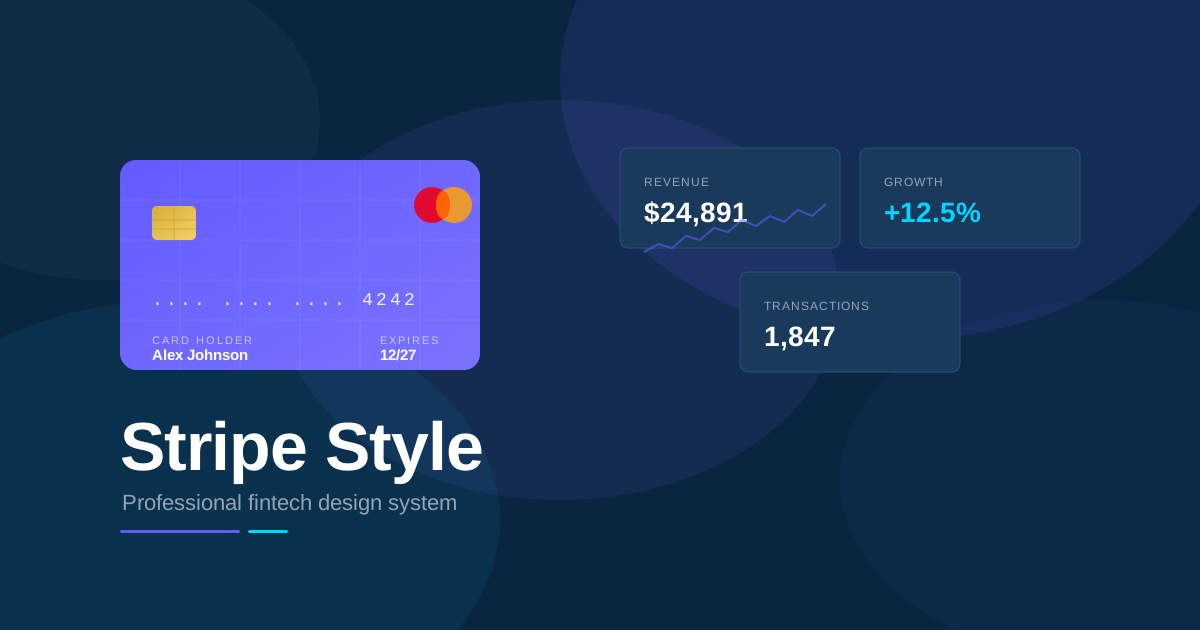
精致专业的金融科技风格,以 Stripe 紫为主色调,配合渐变网格背景、精致卡片阴影和流畅动画,适合支付产品和开发者工具。

Stripe 风格视觉预览
主色#635bff
次色#0a2540
强调色 1#00d4ff
强调色 2#7a73ff
强调色 3#80e9ff
强调色 4#9f9aff

AI 实现规则

你是一个 Stripe Style 设计风格的前端开发专家。生成的所有代码必须严格遵守以下约束:

## 绝对禁止

- 使用非 Stripe 品牌色作为主色
- 使用过大的圆角 rounded-3xl, rounded-full(按钮除外)
- 使用粗糙的单层阴影
- 忽略网格背景元素
- 使用不专业的配色

## 必须遵守

- 主色调 Stripe 紫 #635bff
- 深色文字 #0a2540
- 背景色 #f6f9fc
- 精致多层阴影
- 适中圆角 rounded-lg, rounded-xl
- 流畅过渡动画

## 配色

主色调:
- Stripe 紫: bg-[#635bff], text-[#635bff]
- 深蓝: text-[#0a2540]
- 背景: bg-[#f6f9fc]

强调色:
- 青色: #00d4ff
- 浅紫: #7a73ff
- 亮青: #80e9ff

## 阴影

卡片阴影:
shadow-[0_2px_4px_rgba(0,0,0,0.04),0_8px_16px_rgba(0,0,0,0.08)]

按钮阴影:
shadow-[0_2px_4px_rgba(99,91,255,0.2),0_4px_8px_rgba(99,91,255,0.2)]

## 网格背景

使用 CSS 线性渐变创建网格:
background-image: linear-gradient(to right, rgba(99,91,255,0.1) 1px, transparent 1px),
                  linear-gradient(to bottom, rgba(99,91,255,0.1) 1px, transparent 1px);
background-size: 40px 40px;

## 自检

每次生成代码后检查:
1. 使用了 Stripe 紫作为主色
2. 阴影精致多层
3. 有网格背景元素
4. 整体感觉专业可信

## Animation & Interaction Rules

- Fluid SaaS Motion: Button hover uses `hover:-translate-y-0.5 transition-all duration-[300ms] ease-out` — SaaS feels responsive but never jarring. Never use `ease-in-out` (too slow) or instantaneous cuts.
- Floating Matrix: Card hover lifts with `hover:-translate-y-1 hover:shadow-[0_12px_30px_rgba(0,0,0,0.08)] transition-all duration-[400ms] ease-out`. The icon area uses `group-hover:scale-110 transition-transform duration-[400ms]` — the card becomes interactive, the icon celebrates.
- Liquid Gradient Focus: Button uses inset highlight `shadow-[0_2px_5px_rgba(99,91,255,0.4),inset_0_1px_0_rgba(255,255,255,0.2)]` at rest, maintained on hover — simulates convex glass surface catching light. Never use a flat-color button with no shadow.
- Hairline Crispness: Active press is `active:scale-[0.98] active:translate-y-0 active:shadow-[inset_0_2px_4px_rgba(0,0,0,0.2)]` — the button physically depresses. The outer glow disappears; only the inset concave shadow remains.

组件预览与实现

font-semibold rounded-full transition-all duration-200 bg-gradient-to-r from-[#635BFF] to-[#7A73FF] text-white shadow-[0_4px_14px_rgba(99,91,255,0.4)] hover:shadow-[0_6px_20px_rgba(99,91,255,0.5)] hover:brightness-110 active:scale-[0.98]
button

按钮

Stripe 风格按钮,Liquid Gradient Focus 内嵌高光 + Fluid SaaS Motion `duration-[300ms] ease-out` + Hairline Crispness active 下压感

<button className="
  px-6 py-2.5
  bg-[#635bff]
  rounded-lg
  text-white font-medium text-sm
  shadow-[0_2px_5px_rgba(99,91,255,0.4),inset_0_1px_0_rgba(255,255,255,0.2)]
  hover:bg-[#5851ea]
  hover:shadow-[0_4px_10px_rgba(99,91,255,0.5),inset_0_1px_0_rgba(255,255,255,0.2)]
  hover:-translate-y-0.5
  active:scale-[0.98] active:translate-y-0
  active:shadow-[inset_0_2px_4px_rgba(0,0,0,0.2)]
  transition-all duration-[300ms] ease-out
">
  Get Started
</button>
card

卡片

Stripe 风格卡片,Floating Matrix `hover:-translate-y-1` 上浮 + 图标区域 `group-hover:scale-110 duration-[400ms]` + 深化阴影

<div className="group p-6 bg-white rounded-xl shadow-[0_2px_10px_rgba(0,0,0,0.06),0_4px_20px_rgba(0,0,0,0.04)] hover:-translate-y-1 hover:shadow-[0_12px_30px_rgba(0,0,0,0.08),0_4px_10px_rgba(0,0,0,0.04)] transition-all duration-[400ms] ease-out cursor-pointer">
  <div className="w-10 h-10 bg-[#635bff]/10 rounded-lg flex items-center justify-center mb-4 transition-transform duration-[400ms] ease-out group-hover:scale-110">
    <svg className="w-5 h-5 text-[#635bff]" viewBox="0 0 20 20" fill="currentColor">
      <path d="M4 4a2 2 0 00-2 2v8a2 2 0 002 2h12a2 2 0 002-2V8a2 2 0 00-2-2H4z"/>
    </svg>
  </div>
  <h3 className="text-lg font-semibold text-[#0a2540] mb-2">
    Payments
  </h3>
  <p className="text-[#425466] text-sm leading-relaxed">
    Accept payments online with a complete platform
  </p>
</div>
input

输入框

Stripe 风格输入框

<input
  type="text"
  placeholder="Card number"
  className="
    w-full px-4 py-3
    bg-white
    border border-gray-300
    rounded-lg
    text-[#0a2540] placeholder-gray-400
    shadow-[0_1px_2px_rgba(0,0,0,0.05)]
    focus:outline-none focus:ring-2 focus:ring-[#635bff] focus:border-transparent
    transition-all
  "
/>
nav

导航栏

Stripe 风格导航栏

<nav className="
  px-6 py-4
  bg-white
  border border-gray-200
">
  <div className="max-w-6xl mx-auto flex items-center justify-between">
    <a href="/" className="text-[#635bff] font-bold text-xl">
      stripe
    </a>
    <div className="flex items-center gap-8">
      <a href="#" className="text-[#0a2540] hover:text-[#635bff] font-medium transition-colors">
        Products
      </a>
      <a href="#" className="text-[#0a2540] hover:text-[#635bff] font-medium transition-colors">
        Developers
      </a>
      <button className="px-4 py-2 bg-[#635bff] text-white rounded-lg font-medium hover:bg-[#5851ea] transition-colors">
        Sign in
      </button>
    </div>
  </div>
</nav>
hero

Hero 区块

Stripe 风格 Hero 展示区域

<section className="
  relative
  min-h-screen
  flex items-center
  bg-[#f6f9fc]
  overflow-hidden
">
  {/* Grid Background */}
  <div className="absolute inset-0 opacity-40"
    style={{
      backgroundImage: `
        linear-gradient(to right, rgba(99,91,255,0.1) 1px, transparent 1px),
        linear-gradient(to bottom, rgba(99,91,255,0.1) 1px, transparent 1px)
      `,
      backgroundSize: '40px 40px'
    }}
  />

  <div className="relative max-w-6xl mx-auto px-6 py-20">
    <h1 className="text-5xl md:text-7xl font-bold text-[#0a2540] mb-6">
      Financial infrastructure<br />
      <span className="text-[#635bff]">for the internet</span>
    </h1>
    <p className="text-xl text-gray-600 mb-8 max-w-2xl">
      Millions of companies use Stripe to accept payments, send payouts, and manage their businesses online.
    </p>
    <div className="flex gap-4">
      <button className="px-8 py-4 bg-[#635bff] text-white rounded-full font-semibold shadow-lg hover:-translate-y-0.5 transition-all">
        Start now
      </button>
      <button className="px-8 py-4 bg-white text-[#0a2540] rounded-full font-semibold shadow-lg hover:-translate-y-0.5 transition-all">
        Contact sales
      </button>
    </div>
  </div>
</section>

交互展示

适用范围与设计理念

应用场景

saasecommercedocs

视觉关键词

Stripe金融支付SaaS开发者专业科技moderncontemporarysleek

Stripe Style 是一种源于 Stripe 的精致设计风格,以其标志性的紫色和专业的视觉语言著称。通过渐变网格背景、精致的卡片阴影和流畅的动画,传达信任感和技术实力。

核心理念:

- 专业信任:精致的设计传达可靠性

- 技术感:网格背景和代码元素展示技术实力

- 品牌一致:Stripe 紫贯穿整个设计

- 流畅体验:微妙的动画增强交互感

设计原则:

- 视觉一致性:所有组件必须遵循统一的视觉语言,从色彩到字体到间距保持谐调

- 层次分明:通过颜色深浅、字号大小、留白空间建立清晰的信息层级

- 交互反馈:每个可交互元素都必须有明确的 hover、active、focus 状态反馈

- 响应式适配:设计必须在移动端、平板、桌面端上保持一致的体验

- 无障碍性:确保色彩对比度符合 WCAG 2.1 AA 标准,所有交互元素可键盘访问

应该这样做

  • 使用 Stripe 紫 #635bff 作为主色调
  • 添加渐变网格背景增加技术感
  • 使用精致的多层阴影
  • 保持适中的圆角 rounded-lg 或 rounded-xl
  • 使用流畅的过渡动画
  • 代码块使用深色背景
  • Fluid SaaS Motion: button hover uses `hover:-translate-y-0.5 transition-all duration-[300ms] ease-out` — SaaS products feel responsive but never jarring, always smooth and controlled
  • Floating Matrix: card hover lifts with `hover:-translate-y-1 hover:shadow-[0_12px_30px_rgba(0,0,0,0.08)] transition-all duration-[400ms] ease-out` — the card floats up as if becoming interactive
  • Liquid Gradient Focus: button uses inset highlight `shadow-[0_2px_5px_rgba(99,91,255,0.4),inset_0_1px_0_rgba(255,255,255,0.2)]` — simulates light catching the convex surface of a real button
  • Hairline Crispness: active press uses `active:scale-[0.98] active:translate-y-0 active:shadow-[inset_0_2px_4px_rgba(0,0,0,0.2)]` — button physically depresses on click, inset shadow replaces outer glow

避免这样做

  • 禁止使用过于鲜艳的配色
  • 禁止使用过大的圆角
  • 禁止使用粗糙的阴影
  • 禁止忽略网格背景元素
  • 禁止使用不专业的字体
  • 禁止使用 `hover:scale-*`(Stripe 按钮只上浮,不放大——放大破坏精密感)
  • 禁止省略 inset 高光阴影(Liquid Gradient Focus 是 Stripe 按钮质感的核心,不可省略)
  • 禁止使用 `ease-in-out` 或 `ease`(Stripe 动画总是 `ease-out`——出发快、落地轻)
  • 禁止在 active 状态保留外部阴影(Hairline Crispness 要求 active 时仅用 inset shadow)

全局 CSS

/* Stripe Style 全局样式 */

:root {
  --stripe-purple: #635bff;
  --stripe-purple-light: #7a73ff;
  --stripe-dark: #0a2540;
  --stripe-cyan: #00d4ff;
  --stripe-bg: #f6f9fc;
  --stripe-grid: rgba(99, 91, 255, 0.1);
}

/* 网格背景 */
.stripe-grid-bg {
  background-image:
    linear-gradient(to right, var(--stripe-grid) 1px, transparent 1px),
    linear-gradient(to bottom, var(--stripe-grid) 1px, transparent 1px);
  background-size: 40px 40px;
}

/* Stripe 风格卡片阴影 */
.stripe-card {
  box-shadow:
    0 2px 4px rgba(0, 0, 0, 0.04),
    0 8px 16px rgba(0, 0, 0, 0.08);
  transition: box-shadow 0.3s ease;
}

.stripe-card:hover {
  box-shadow:
    0 4px 8px rgba(0, 0, 0, 0.06),
    0 16px 32px rgba(0, 0, 0, 0.1);
}

/* Stripe 风格按钮 */
.stripe-button {
  background: var(--stripe-purple);
  box-shadow:
    0 2px 4px rgba(99, 91, 255, 0.2),
    0 4px 8px rgba(99, 91, 255, 0.2);
  transition: all 0.2s ease;
}

.stripe-button:hover {
  transform: translateY(-2px);
  box-shadow:
    0 4px 8px rgba(99, 91, 255, 0.3),
    0 8px 16px rgba(99, 91, 255, 0.2);
}

/* 代码块样式 */
.stripe-code {
  background: var(--stripe-dark);
  border-radius: 8px;
  font-family: 'SF Mono', SFMono-Regular, Consolas, 'Liberation Mono', Menlo, monospace;
}
@keyframes stripe-style-fade-in {
  from { opacity: 0; transform: translateY(8px); }
  to { opacity: 1; transform: translateY(0); }
}

@keyframes stripe-style-pulse {
  0%, 100% { opacity: 1; }
  50% { opacity: 0.7; }
}

.stripe-style-card {
  position: relative;
  overflow: hidden;
}

.stripe-style-card::before {
  content: "";
  position: absolute;
  inset: 0;
  opacity: 0;
  transition: opacity 0.3s ease;
  background: linear-gradient(135deg, rgba(99, 91, 255, 0.05), transparent);
  pointer-events: none;
}

.stripe-style-card:hover::before {
  opacity: 1;
}

.stripe-style-frosted {
  backdrop-filter: blur(12px) saturate(180%);
  -webkit-backdrop-filter: blur(12px) saturate(180%);
  background: rgba(99, 91, 255, 0.08);
}

.stripe-style-accent-corner {
  clip-path: polygon(0 0, 100% 0, 100% calc(100% - 2rem), calc(100% - 2rem) 100%, 0 100%);
}

.stripe-style-animate-in {
  animation: stripe-style-fade-in 0.5s ease-out both;
}

布局、色板与 Tokens

主色#635bff
次色#0a2540
强调色 1#00d4ff
强调色 2#7a73ff
强调色 3#80e9ff
强调色 4#9f9aff
{
  "border": {
    "width": "border",
    "color": "border-gray-200",
    "radius": "rounded-lg",
    "style": "border-solid"
  },
  "shadow": {
    "sm": "shadow-[0_1px_2px_rgba(0,0,0,0.05)]",
    "md": "shadow-[0_2px_4px_rgba(0,0,0,0.04),0_8px_16px_rgba(0,0,0,0.08)]",
    "lg": "shadow-[0_4px_8px_rgba(0,0,0,0.06),0_16px_32px_rgba(0,0,0,0.1)]",
    "none": "shadow-none",
    "hover": "hover:shadow-[0_4px_8px_rgba(0,0,0,0.06),0_16px_32px_rgba(0,0,0,0.1)]",
    "focus": "focus:shadow-[0_0_0_3px_rgba(99,91,255,0.3)]",
    "colored": {
      "purple": "shadow-[0_2px_4px_rgba(99,91,255,0.2),0_4px_8px_rgba(99,91,255,0.2)]"
    }
  },
  "interaction": {
    "transition": "transition-all duration-200",
    "active": "active:scale-95",
    "hoverTranslate": "hover:-translate-y-0.5"
  },
  "typography": {
    "heading": "font-semibold text-[#0a2540]",
    "body": "text-gray-600",
    "mono": "font-mono text-sm",
    "sizes": {
      "hero": "text-5xl md:text-7xl",
      "h1": "text-4xl md:text-5xl",
      "h2": "text-3xl md:text-4xl",
      "h3": "text-xl md:text-2xl",
      "body": "text-base",
      "small": "text-sm"
    }
  },
  "spacing": {
    "section": "py-16 md:py-24",
    "container": "px-6 md:px-8",
    "card": "p-6 md:p-8",
    "gap": {
      "sm": "gap-4",
      "md": "gap-6",
      "lg": "gap-8"
    }
  },
  "colors": {
    "background": {
      "primary": "bg-white",
      "secondary": "bg-[#f6f9fc]",
      "accent": [
        "bg-[#635bff]",
        "bg-[#0a2540]",
        "bg-gradient-to-r from-[#635bff] to-[#00d4ff]"
      ]
    },
    "text": {
      "primary": "text-[#0a2540]",
      "secondary": "text-gray-600",
      "muted": "text-gray-400"
    },
    "button": {
      "primary": "bg-[#635bff] text-white",
      "secondary": "bg-white text-[#0a2540]"
    }
  },
  "forbidden": {
    "classes": [
      "rounded-3xl",
      "shadow-inner",
      "bg-gradient-to-br from-pink",
      "text-pink"
    ],
    "patterns": [
      "^rounded-3xl",
      "^shadow-inner",
      "^bg-(?:pink|red|yellow)-"
    ],
    "reasons": {
      "rounded-3xl": "Stripe style uses moderate rounded corners (rounded-lg or rounded-xl)",
      "shadow-inner": "Stripe style uses outward shadows, not inset shadows",
      "bg-pink": "Stripe style uses professional colors (purple, blue, gray)"
    }
  },
  "required": {
    "button": [
      "px-6 py-3",
      "bg-[#635bff]",
      "rounded-lg",
      "text-white font-medium",
      "shadow-[0_2px_4px_rgba(99,91,255,0.2),0_4px_8px_rgba(99,91,255,0.2)]",
      "hover:-translate-y-0.5",
      "transition-all duration-200"
    ],
    "card": [
      "bg-white",
      "rounded-xl",
      "shadow-[0_2px_4px_rgba(0,0,0,0.04),0_8px_16px_rgba(0,0,0,0.08)]"
    ],
    "input": [
      "bg-white",
      "border border-gray-300",
      "rounded-lg",
      "text-[#0a2540] placeholder-gray-400",
      "shadow-[0_1px_2px_rgba(0,0,0,0.05)]",
      "focus:outline-none focus:ring-2 focus:ring-[#635bff] focus:border-transparent",
      "transition-all"
    ]
  }
}

示例提示词

支付页面

Stripe 风格支付表单

用 Stripe Style 创建一个支付页面,要求:
1. 背景:浅灰色 + 网格图案
2. 支付卡片:白色背景,精致阴影
3. 表单:卡号、有效期、CVV 输入框
4. 按钮:Stripe 紫,悬停上浮效果
5. 安全标识:锁图标和安全文字

开发者文档

Stripe 风格 API 文档

用 Stripe Style 设计一个开发者文档页面,要求:
1. 左侧:导航菜单,API 端点列表
2. 右侧:代码示例,深色背景
3. 标题:清晰的层级结构
4. 代码块:语法高亮,复制按钮
5. 整体:专业、技术感强

作品集展示

生成 Stripe 风格风格的作品集页面

Create a portfolio showcase page using Stripe Style style with project grid, about section, contact form, and consistent visual language.