本页出处
设计风格资料库
内容来自 luckymaomi 的 UI 风格库(复刻版),以 MIT 许可 提供。本站镜像收录,仅作学习参考;这一页的原始地址是 原站页面。
← 回到导览访问原站仓库
返回风格库
布局风格minimal

垂直时间线布局

Vertical Timeline

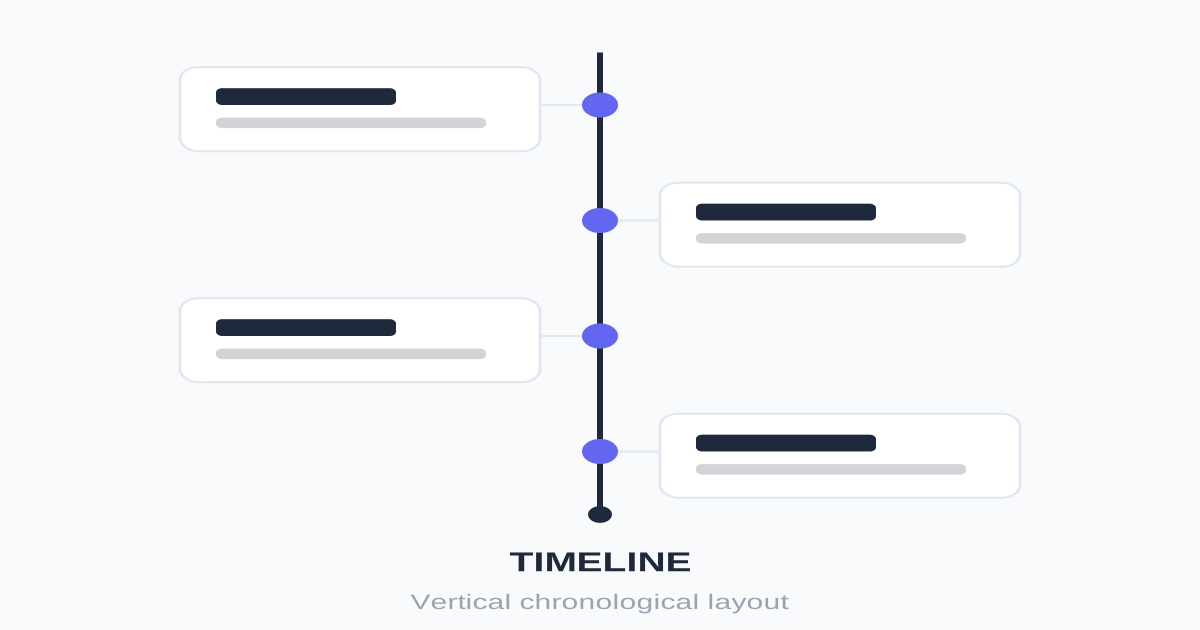
垂直时间轴布局,通过连接线串联时间节点,适合展示历史进程、项目里程碑、工作经历、流程步骤。

垂直时间线布局视觉预览
主色#1e293b
次色#f8fafc
强调色 1#3b82f6
强调色 2#10b981
强调色 3#f59e0b
强调色 4#ef4444

AI 实现规则

You are a frontend expert specializing in Vertical Timeline layout. All generated code must strictly follow these constraints:

## Absolute Prohibitions

- Do NOT break the connecting line
- Do NOT use inconsistent node sizes
- Do NOT keep alternating layout on mobile
- Do NOT omit time/date labels
- Do NOT make content too long per node

## Must Follow

- Central line: absolute positioned pseudo-element or div
- Node dots: aligned with center line
- Mobile: single-side layout (all items on right)
- Desktop: can alternate left/right
- Consistent spacing between nodes
- Clear time/date indicators

## Structure

Container:
- relative positioning
- padding-left for line space (mobile)
- centered line (desktop alternating)

Central Line:
- Pseudo-element or div
- Absolute positioned
- 2px width, subtle color

Node:
- Circular dot (w-4 h-4)
- Aligned with line center
- Different colors for status
- White border for contrast

Content Card:
- Connected visually to node
- Date/time label
- Title and description
- Optional action button

## Responsive

Mobile:
- All items on one side
- Line on left
- Full-width cards

Desktop:
- Optional alternating sides
- Line in center
- Cards 50% width

## Animation

Scroll-triggered:
- Items fade in on scroll
- Stagger animation
- Node pulse on current

## Animation & Interaction Rules

- Node Synchronization: hover 某卡片时,时间轴节点必须同步高亮、放大或发光,建立强连接。
- Pull-out Effect: 卡片 hover 可轻微上浮并沿水平轴外移(translate-x),模拟节点被拉出审视。
- Sequential Smoothness: 过渡使用 duration-200 ease-out,支持快速滑动浏览时的稳定反馈。
- Connected Focus: 聚焦卡片边框颜色需和时间轴主线一致,确保叙事连贯性。

## Self-Check

组件预览与实现

font-medium inline-flex items-center gap-2 transition-colors duration-200 bg-blue-500 text-white rounded-lg hover:bg-blue-600 active:bg-blue-700
button

时间线按钮

时间线节点中的操作按钮

<button className="
  inline-flex items-center gap-2
  px-4 py-2
  text-sm font-medium
  text-blue-600
  hover:text-blue-700
  transition-colors
">
  <span>View Details</span>
  <svg className="w-4 h-4" fill="none" stroke="currentColor" viewBox="0 0 24 24">
    <path strokeLinecap="round" strokeLinejoin="round" strokeWidth={2} d="M9 5l7 7-7 7" />
  </svg>
</button>
card

时间线节点卡片

时间线中的事件卡片

<div className="group relative pl-10 sm:pl-0">
  <div className="absolute top-6 left-0 sm:left-1/2 sm:-ml-[9px] w-4 h-4 bg-zinc-200 rounded-full border-4 border-white shadow-sm z-10 group-hover:bg-blue-500 group-hover:scale-125 group-hover:shadow-[0_0_10px_rgba(59,130,246,0.5)] transition-all duration-200 ease-out" />

  <div className="sm:w-1/2 sm:pr-12 sm:text-right">
    <div className="p-6 bg-white rounded-xl shadow-sm border border-zinc-100 group-hover:shadow-md group-hover:border-blue-200 group-hover:-translate-y-1 group-hover:translate-x-1 transition-all duration-200 ease-out">
      <time className="text-sm text-blue-600 font-bold tracking-wide mb-2 block uppercase group-hover:tracking-widest transition-all duration-200">
        January 2024
      </time>
      <h3 className="text-xl font-semibold text-zinc-900 mb-2">
        Milestone Reached
      </h3>
      <p className="text-zinc-600 text-sm leading-relaxed">
        The chronological event comes to life when interacted with, illuminating its specific point in history.
      </p>
    </div>
  </div>
</div>
input

时间筛选器

按时间范围筛选的输入

<div className="flex items-center gap-4">
  <div className="flex-1">
    <label className="text-sm text-zinc-500 mb-1 block">From</label>
    <input
      type="date"
      className="
        w-full px-3 py-2
        border border-zinc-200
        rounded-lg
        text-zinc-900
        focus:outline-none focus:ring-2 focus:ring-blue-500/20 focus:border-blue-500
      "
    />
  </div>
  <div className="flex-1">
    <label className="text-sm text-zinc-500 mb-1 block">To</label>
    <input
      type="date"
      className="
        w-full px-3 py-2
        border border-zinc-200
        rounded-lg
        text-zinc-900
        focus:outline-none focus:ring-2 focus:ring-blue-500/20 focus:border-blue-500
      "
    />
  </div>
</div>
nav

时间线导航

年份或阶段快速跳转

<nav className="flex items-center gap-2 overflow-x-auto pb-4">
  <button className="px-4 py-2 bg-blue-500 text-white rounded-full text-sm font-medium whitespace-nowrap">
    2024
  </button>
  <button className="px-4 py-2 bg-zinc-100 text-zinc-700 rounded-full text-sm font-medium hover:bg-zinc-200 transition-colors whitespace-nowrap">
    2023
  </button>
  <button className="px-4 py-2 bg-zinc-100 text-zinc-700 rounded-full text-sm font-medium hover:bg-zinc-200 transition-colors whitespace-nowrap">
    2022
  </button>
  <button className="px-4 py-2 bg-zinc-100 text-zinc-700 rounded-full text-sm font-medium hover:bg-zinc-200 transition-colors whitespace-nowrap">
    2021
  </button>
</nav>
hero

垂直时间线

完整的时间线布局

<section className="py-16 px-4">
  <div className="max-w-3xl mx-auto">
    {/* Header */}
    <div className="text-center mb-12">
      <h2 className="text-3xl font-bold text-zinc-900 mb-4">Our Journey</h2>
      <p className="text-zinc-600">Key milestones in our company history</p>
    </div>

    {/* Timeline */}
    <div className="relative">
      {/* Central line */}
      <div className="absolute left-8 top-0 bottom-0 w-0.5 bg-zinc-200" />

      {/* Timeline items */}
      <div className="space-y-8">
        {/* Item 1 */}
        <div className="relative pl-16">
          <div className="absolute left-6 top-2 w-4 h-4 bg-blue-500 rounded-full border-4 border-white shadow" />
          <div className="p-6 bg-white rounded-xl shadow-sm border border-zinc-100">
            <time className="text-sm text-blue-500 font-medium mb-2 block">2024</time>
            <h3 className="text-lg font-semibold text-zinc-900 mb-2">Series B Funding</h3>
            <p className="text-zinc-600 text-sm">Raised $50M to expand globally.</p>
          </div>
        </div>

        {/* Item 2 */}
        <div className="relative pl-16">
          <div className="absolute left-6 top-2 w-4 h-4 bg-emerald-500 rounded-full border-4 border-white shadow" />
          <div className="p-6 bg-white rounded-xl shadow-sm border border-zinc-100">
            <time className="text-sm text-emerald-500 font-medium mb-2 block">2023</time>
            <h3 className="text-lg font-semibold text-zinc-900 mb-2">1 Million Users</h3>
            <p className="text-zinc-600 text-sm">Reached our first million active users.</p>
          </div>
        </div>

        {/* Item 3 */}
        <div className="relative pl-16">
          <div className="absolute left-6 top-2 w-4 h-4 bg-amber-500 rounded-full border-4 border-white shadow" />
          <div className="p-6 bg-white rounded-xl shadow-sm border border-zinc-100">
            <time className="text-sm text-amber-500 font-medium mb-2 block">2022</time>
            <h3 className="text-lg font-semibold text-zinc-900 mb-2">Product Launch</h3>
            <p className="text-zinc-600 text-sm">Launched our flagship product to market.</p>
          </div>
        </div>

        {/* Item 4 */}
        <div className="relative pl-16">
          <div className="absolute left-6 top-2 w-4 h-4 bg-zinc-400 rounded-full border-4 border-white shadow" />
          <div className="p-6 bg-white rounded-xl shadow-sm border border-zinc-100">
            <time className="text-sm text-zinc-500 font-medium mb-2 block">2021</time>
            <h3 className="text-lg font-semibold text-zinc-900 mb-2">Company Founded</h3>
            <p className="text-zinc-600 text-sm">Started with a team of 3 in a small office.</p>
          </div>
        </div>
      </div>
    </div>
  </div>
</section>

交互展示

适用范围与设计理念

应用场景

portfoliodocsdashboard

视觉关键词

时间线历程里程碑流程步骤进度minimalcleansimple极简

Vertical Timeline(垂直时间线布局)是一种用于展示时间序列或流程步骤的布局方式,通过视觉连接线引导阅读。

核心理念:

- 线性叙事:清晰的时间或流程顺序

- 节点突出:每个重要时刻都有明确标记

- 连接关系:视觉线条串联所有事件

- 渐进展示:支持滚动触发动画

设计原则:

- 视觉一致性:所有组件必须遵循统一的视觉语言,从色彩到字体到间距保持谐调

- 层次分明:通过颜色深浅、字号大小、留白空间建立清晰的信息层级

- 交互反馈:每个可交互元素都必须有明确的 hover、active、focus 状态反馈

- 响应式适配:设计必须在移动端、平板、桌面端上保持一致的体验

- 无障碍性:确保色彩对比度符合 WCAG 2.1 AA 标准,所有交互元素可键盘访问

应该这样做

  • 使用伪元素或 div 创建中央连接线
  • 节点圆点与连接线对齐
  • 左右交替布局增加视觉变化
  • 移动端改为单侧布局
  • 添加滚动触发的入场动画
  • 节点使用统一的时间/序号格式
  • 连接线使用柔和颜色不喧宾夺主
  • 卡片 hover 时节点需同步高亮或放大,建立轴线联动感
  • 卡片 hover 可轻微沿水平轴外移,表达历史节点被拉出审视
  • 交互过渡使用 duration-200 ease-out,保障快速时间浏览

避免这样做

  • 禁止连接线断裂或不对齐
  • 禁止节点大小不一致
  • 禁止移动端保持双侧布局
  • 禁止忽略时间/序号标识
  • 禁止内容过长导致连接线过长
  • 禁止节点与卡片交互脱节(仅卡片变化)
  • 禁止使用迟缓或拖泥带水的过渡时序

全局 CSS

/* Vertical Timeline Global Styles */

/* Timeline container */
.timeline {
  position: relative;
  padding-left: 2rem;
}

/* Central line */
.timeline::before {
  content: '';
  position: absolute;
  left: 0.5rem;
  top: 0;
  bottom: 0;
  width: 2px;
  background: #e2e8f0;
}

/* Timeline item */
.timeline-item {
  position: relative;
  padding-left: 2rem;
  padding-bottom: 2rem;
}

/* Node dot */
.timeline-item::before {
  content: '';
  position: absolute;
  left: -0.5rem;
  top: 0.5rem;
  width: 1rem;
  height: 1rem;
  border-radius: 50%;
  background: #3b82f6;
  border: 4px solid white;
  box-shadow: 0 2px 4px rgba(0, 0, 0, 0.1);
}

/* Alternating layout for desktop */
@media (min-width: 768px) {
  .timeline-alternating {
    padding-left: 0;
  }

  .timeline-alternating::before {
    left: 50%;
    transform: translateX(-50%);
  }

  .timeline-alternating .timeline-item {
    width: 50%;
    padding-left: 0;
    padding-right: 2rem;
  }

  .timeline-alternating .timeline-item:nth-child(even) {
    margin-left: 50%;
    padding-left: 2rem;
    padding-right: 0;
  }

  .timeline-alternating .timeline-item::before {
    left: auto;
    right: -0.5rem;
  }

  .timeline-alternating .timeline-item:nth-child(even)::before {
    left: -0.5rem;
    right: auto;
  }
}

/* Scroll animation */
.timeline-item {
  opacity: 0;
  transform: translateY(20px);
  transition: opacity 0.5s ease, transform 0.5s ease;
}

.timeline-item.in-view {
  opacity: 1;
  transform: translateY(0);
}

/* Node color variants */
.timeline-item[data-status="complete"]::before {
  background: #10b981;
}

.timeline-item[data-status="current"]::before {
  background: #3b82f6;
  box-shadow: 0 0 0 4px rgba(59, 130, 246, 0.2);
}

.timeline-item[data-status="upcoming"]::before {
  background: #d1d5db;
}
/* Vertical Timeline Design Tokens */
:root {
  --timeline-vertical-primary: #1e293b;
  --timeline-vertical-secondary: #f8fafc;
  --timeline-vertical-accent: #3b82f6;
  --timeline-vertical-glow: rgba(30, 41, 59, 0.3);
}

@keyframes timeline-vertical-fade-in {
  from { opacity: 0; transform: translateY(8px); }
  to { opacity: 1; transform: translateY(0); }
}

@keyframes timeline-vertical-pulse {
  0%, 100% { opacity: 1; }
  50% { opacity: 0.7; }
}

.timeline-vertical-gradient {
  background: linear-gradient(135deg, #1e293b, #3b82f6);
}

.timeline-vertical-gradient-text {
  background: linear-gradient(135deg, #1e293b, #3b82f6);
  -webkit-background-clip: text;
  -webkit-text-fill-color: transparent;
  background-clip: text;
}

.timeline-vertical-frosted {
  backdrop-filter: blur(12px) saturate(180%);
  -webkit-backdrop-filter: blur(12px) saturate(180%);
  background: rgba(30, 41, 59, 0.08);
}

.timeline-vertical-accent-corner {
  clip-path: polygon(0 0, 100% 0, 100% calc(100% - 2rem), calc(100% - 2rem) 100%, 0 100%);
}

.timeline-vertical-animate-in {
  animation: timeline-vertical-fade-in 0.5s ease-out both;
}

布局、色板与 Tokens

主色#1e293b
次色#f8fafc
强调色 1#3b82f6
强调色 2#10b981
强调色 3#f59e0b
强调色 4#ef4444
{
  "border": {
    "width": "border",
    "color": "border-zinc-100",
    "radius": "rounded-xl",
    "style": "border-solid"
  },
  "shadow": {
    "sm": "shadow-sm",
    "md": "shadow-sm",
    "lg": "shadow-md",
    "none": "shadow-none",
    "hover": "hover:shadow-md",
    "focus": "focus:shadow-sm",
    "colored": {}
  },
  "interaction": {
    "transition": "transition-all duration-300",
    "active": "active:scale-95",
    "hoverTranslate": "hover:-translate-y-0.5"
  },
  "typography": {
    "heading": "font-semibold tracking-tight",
    "body": "font-sans",
    "mono": "font-mono",
    "sizes": {
      "hero": "text-3xl md:text-4xl lg:text-5xl",
      "h1": "text-2xl md:text-3xl",
      "h2": "text-xl md:text-2xl",
      "h3": "text-lg md:text-xl",
      "body": "text-sm md:text-base",
      "small": "text-xs md:text-sm"
    }
  },
  "spacing": {
    "section": "py-12 md:py-16 lg:py-20",
    "container": "px-4 md:px-6 lg:px-8",
    "card": "p-6",
    "gap": {
      "sm": "gap-4",
      "md": "gap-6 md:gap-8",
      "lg": "gap-8 md:gap-12"
    }
  },
  "colors": {
    "background": {
      "primary": "bg-slate-50",
      "secondary": "bg-white",
      "accent": [
        "bg-blue-500",
        "bg-emerald-500",
        "bg-amber-500",
        "bg-red-500"
      ]
    },
    "text": {
      "primary": "text-zinc-900",
      "secondary": "text-zinc-600",
      "muted": "text-zinc-400"
    },
    "button": {
      "primary": "bg-blue-500 text-white",
      "secondary": "bg-zinc-100 text-zinc-700"
    }
  },
  "forbidden": {
    "classes": [
      "rounded-none",
      "border-4",
      "border-8",
      "shadow-2xl",
      "font-black"
    ],
    "patterns": [
      "^border-[48]",
      "^shadow-2xl"
    ],
    "reasons": {
      "rounded-none": "Timeline Vertical uses soft rounded corners (rounded-xl) for cards",
      "border-4": "Timeline Vertical uses subtle thin borders (border)",
      "shadow-2xl": "Timeline Vertical uses subtle shadows, not dramatic ones"
    }
  },
  "required": {
    "button": [
      "inline-flex items-center gap-2",
      "text-sm font-medium",
      "text-blue-600",
      "transition-colors"
    ],
    "card": [
      "relative",
      "bg-white",
      "rounded-xl",
      "shadow-sm",
      "border border-zinc-100"
    ],
    "input": [
      "border border-zinc-200",
      "rounded-lg",
      "text-zinc-900",
      "focus:outline-none",
      "focus:ring-2 focus:ring-blue-500/20 focus:border-blue-500"
    ]
  }
}

示例提示词

公司发展历程

展示公司重要里程碑

Create a company history timeline:
1. Vertical timeline with central line
2. Alternating left/right layout on desktop
3. Single side on mobile
4. Each node: year, event title, description
5. Different node colors for different types (funding, product, team)
6. Scroll animation: fade in as visible
7. Year navigation at top
Use subtle colors, professional styling

工作经历

简历中的职业时间线

Create a career timeline for resume:
1. Single-side vertical timeline
2. Each node: date range, company, role, achievements
3. Company logo in node instead of dot
4. Current job highlighted
5. Skills tags for each role
6. Smooth scroll animation
7. Download resume button at end
Clean minimal design, professional look

项目进度

项目阶段的流程展示

Create a project progress timeline:
1. Vertical timeline showing project phases
2. Nodes: phase number, name, status (complete/current/upcoming)
3. Complete phases: green nodes with checkmark
4. Current phase: blue pulsing node
5. Upcoming: gray nodes
6. Progress percentage at top
7. Click node to expand details
Interactive with hover states